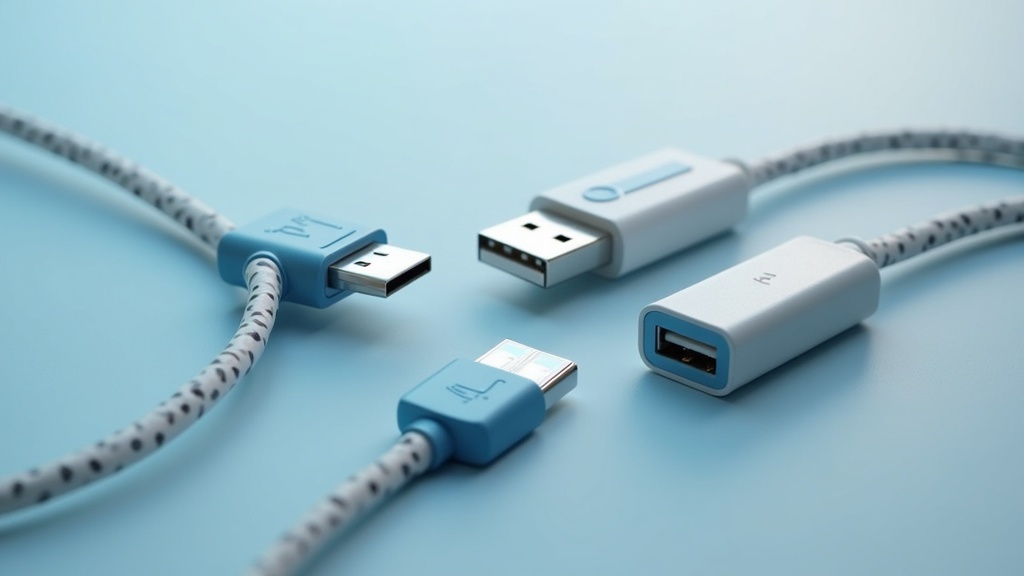
This USB cables and adapters overview provides a comprehensive guide to the different types, speeds, and power capabilities of modern USB technology, helping you choose the right cable and adapter for your needs.
Table of Contents
- The Evolution of USB Technology
- Understanding USB Connector Types
- Data Transfer Speeds and Capabilities
- Power Delivery and Charging
- Frequently Asked Questions
- Comparison of USB Cable Types
- Practical Tips for Choosing USB Cables and Adapters
- Final Thoughts on USB Cables and Adapters Overview
Article Snapshot: USB cables and adapters overview covers the evolution of USB technology, the different connector types (USB-A, USB-B, USB-C), data transfer speeds from 480 Mbps to 80 Gbps, and power delivery up to 240 watts. This guide helps you select the right cable and adapter for your devices.
Quick Stats: USB Cables and Adapters Overview
- USB4 Version 2.0 specification enables data transfer rates up to 80 Gbps over USB-C cables (USB Implementers Forum (USB-IF), 2024)[1]
- USB Power Delivery Extended Power Range (EPR) enables USB-C cables and adapters to deliver up to 240 watts of power (USB Implementers Forum (USB-IF), 2024)[2]
- The global USB Type-C cable market is projected to grow from $1.33 billion in 2024 to $1.96 billion by 2032 (Intel Market Research, 2024)[3]
The Evolution of USB Technology
USB cables and adapters have undergone significant evolution since the introduction of the Universal Serial Bus standard in the mid-1990s. The technology has progressed from simple 480 Mbps USB 2.0 connections to the latest USB4 Version 2.0 specification, which enables data transfer rates up to 80 Gbps over USB-C cables (USB Implementers Forum (USB-IF), 2024)[1]. This evolution reflects the growing demand for faster data transfer, higher power delivery, and more versatile connectivity solutions across a wide range of devices.
Modern USB cables and adapters have evolved into intelligent connectivity bridges, delivering multi-gigabit data, high-wattage charging, and display output through a single interface (Qualcomm Technologies, 2025)[4]. The USB Implementers Forum (USB-IF) has played a crucial role in standardizing these advancements, ensuring backward compatibility and interoperability across generations. Understanding this evolution is essential for anyone looking to purchase new cables or adapters, as older standards may not support the features required by modern devices.
The USB ecosystem today spans everything from simple 480 Mbps USB 2.0 charging cables to 80 Gbps USB4 v2 active cables, and clear labeling is critical so users can match the right cable and adapter to their needs (USB-IF, 2025)[5].
Understanding USB Connector Types
USB cables and adapters come in several connector types, each designed for specific applications. The most common connector types include USB Type-A, USB Type-B, and USB Type-C. USB Type-A is the traditional rectangular connector found on most computers and chargers, while USB Type-B is typically used for printers and other peripheral devices. USB Type-C, with its reversible design and support for high-speed data and power delivery, has become the standard for modern laptops, smartphones, and tablets.
USB 2.0 cables and adapters support maximum data transfer rates of 480 Mbps (Newnex USB Connector Type Guide, 2024)[6]. This standard is still widely used for charging cables and low-bandwidth devices like mice and keyboards. USB 3.2 Gen 1 (USB 3.0) cables support data transfer rates up to 5 Gbps (Newnex USB Connector Type Guide, 2024)[7], while USB 3.2 Gen 2 cables support up to 10 Gbps (Newnex USB Connector Type Guide, 2024)[8]. The fastest USB 3.2 standard, Gen 2×2, supports data transfer rates up to 20 Gbps (Newnex USB Connector Type Guide, 2024)[9].
USB Type-C cables supporting USB4 can reach data transfer speeds of up to 40 Gbps (Coolgear technical guide, 2025)[10]. The USB Type A cable segment is expected to reach US$40.3 billion by 2030 with a 19.2% CAGR (Research and Markets, 2024)[11], indicating continued demand for traditional connectors alongside the growing adoption of USB-C.
USB-C: The Universal Standard
USB-C and USB Power Delivery are foundational technologies enabling a single, universal cable solution for data, display, and power across an ever-widening range of devices (USB-IF, 2025)[12]. With USB4 and USB-C, consumers must pay close attention to cable and adapter capabilities, because not every USB-C cable supports the same bandwidth, power delivery, or display features (TechTechPotato, 2025)[13]. This makes it essential to check specifications before purchasing.
Data Transfer Speeds and Capabilities
Data transfer speed is a critical factor when selecting USB cables and adapters. The speed determines how quickly you can transfer files, stream video, or connect external storage devices. As mentioned earlier, USB 2.0 offers 480 Mbps, while USB 3.2 Gen 1 provides 5 Gbps, and USB 3.2 Gen 2 offers 10 Gbps. USB 3.2 Gen 2×2 doubles that to 20 Gbps, and USB4 with Type-C reaches 40 Gbps. The latest USB4 Version 2.0 pushes the envelope to 80 Gbps, making it suitable for high-resolution video editing, gaming, and professional workflows.
Modern USB cables and adapters have evolved into intelligent connectivity bridges, delivering multi-gigabit data, high-wattage charging, and display output through a single interface (Qualcomm Technologies, 2025)[4]. This convergence of functions means that a single cable can replace multiple specialized cables, reducing clutter and simplifying connectivity. However, as technology analyst Ian Cutress notes, consumers must pay close attention to cable and adapter capabilities, because not every USB-C cable supports the same bandwidth, power delivery, or display features (TechTechPotato, 2025)[13].
For users needing high-speed connections for external SSDs or monitors, USB4 or Thunderbolt-compatible cables are recommended. These cables often come with active electronics to maintain signal integrity at higher speeds. Understanding your device’s supported speed is crucial to avoid bottlenecks.
Power Delivery and Charging
Power delivery is another key aspect of USB cables and adapters. USB Power Delivery (USB PD) is a fast-charging protocol that allows devices to negotiate higher power levels over USB-C connections. The USB Power Delivery Extended Power Range (EPR) enables USB-C cables and adapters to deliver up to 240 watts of power (USB Implementers Forum (USB-IF), 2024)[2]. This capability allows USB-C to charge everything from smartphones and tablets to laptops and even some small appliances.
The ability to deliver high power over USB-C has made it the preferred connector for many modern laptops, including Apple’s MacBook series and many Windows ultrabooks. USB cables and adapters embody the modern philosophy of peripheral connectivity: they hide complexity behind a standardized interface, while the underlying protocols continue to diversify (Vrije Universiteit Amsterdam, 2025)[14]. However, not all USB-C cables support the same power levels. Cables rated for 60 watts (standard) and 240 watts (EPR) are available, and using a cable with insufficient power rating can lead to slow charging or even safety risks.
When selecting a charger and cable, ensure both support the same power delivery standard. For example, a 100W laptop charger requires a cable that can handle 100W. The USB-IF recommends using certified cables and adapters to guarantee safety and performance. The global USB Type-C cable market is projected to grow from $1.33 billion in 2024 to $1.96 billion by 2032 (Intel Market Research, 2024)[3], reflecting the increasing adoption of USB-C for power delivery.
Important Questions About USB Cables and Adapters Overview
What is the difference between USB 2.0, USB 3.0, USB 3.1, and USB 3.2?
USB 2.0 supports data transfer rates up to 480 Mbps, making it suitable for low-bandwidth devices like mice, keyboards, and basic charging. USB 3.0 (now called USB 3.2 Gen 1) offers speeds up to 5 Gbps, which is about 10 times faster than USB 2.0. USB 3.1 (USB 3.2 Gen 2) doubles that to 10 Gbps, while USB 3.2 Gen 2×2 achieves 20 Gbps by using two lanes of data transfer. These standards are backward compatible, but the speed is limited by the slowest device or cable in the connection.
Can I use any USB-C cable for charging my laptop?
Not all USB-C cables are suitable for laptop charging. Standard USB-C cables support up to 60 watts of power, which is enough for smartphones and tablets but may not be sufficient for laptops that require 65W, 100W, or more. For laptop charging, you need a cable that supports USB Power Delivery (USB PD) and is rated for the required wattage. The USB Power Delivery Extended Power Range (EPR) enables USB-C cables and adapters to deliver up to 240 watts of power (USB Implementers Forum (USB-IF), 2024)[2]. Always check the cable’s specifications and look for certification logos.
How do I know which USB cable speed I need?
The speed you need depends on your use case. For everyday tasks like charging, syncing contacts, or using a mouse, USB 2.0 (480 Mbps) is sufficient. For transferring large files like videos, photos, or backups, USB 3.2 Gen 1 (5 Gbps) or Gen 2 (10 Gbps) is recommended. For professional video editing, gaming, or connecting high-resolution monitors, USB 3.2 Gen 2×2 (20 Gbps) or USB4 (40 Gbps) is ideal. The USB4 Version 2.0 specification enables data transfer rates up to 80 Gbps over USB-C cables (USB Implementers Forum (USB-IF), 2024)[1], which is suitable for the most demanding applications.
Are USB-C and Thunderbolt the same thing?
USB-C and Thunderbolt are not the same, but they use the same physical connector. USB-C is a connector standard that supports USB data, power delivery, and DisplayPort alternate mode. Thunderbolt is a high-speed interface developed by Intel that uses the USB-C connector and offers higher data transfer speeds (up to 40 Gbps for Thunderbolt 3 and 4, and up to 80 Gbps for Thunderbolt 5). Thunderbolt also supports daisy-chaining multiple devices and PCIe data transfer. While Thunderbolt ports are backward compatible with USB-C devices, not all USB-C ports support Thunderbolt. Check your device specifications to determine compatibility.
Comparison of USB Cable Types
When selecting USB cables and adapters, understanding the differences between the various types is crucial. The table below compares the key specifications of the most common USB standards.
| USB Standard | Maximum Data Transfer Speed | Connector Type | Maximum Power Delivery |
|---|---|---|---|
| USB 2.0 | 480 Mbps | USB-A, USB-B, USB-C, Micro-USB | 2.5W (5V/0.5A) |
| USB 3.2 Gen 1 (USB 3.0) | 5 Gbps | USB-A, USB-C, USB-B | 4.5W (5V/0.9A) |
| USB 3.2 Gen 2 | 10 Gbps | USB-A, USB-C | 100W (20V/5A) |
| USB4 | 40 Gbps | USB-C | 240W (EPR) |
Practical Tips for Choosing USB Cables and Adapters
Selecting the right USB cables and adapters can be challenging given the variety of standards and capabilities. Here are some actionable tips to help you make the right choice.
- Check your device specifications: Before purchasing a cable or adapter, identify the USB standard supported by your device. For example, if your laptop supports USB4, you can take advantage of 40 Gbps speeds with a compatible USB4 cable. If your device only supports USB 3.2 Gen 1, a faster cable will not improve performance.
- Look for certification logos: The USB-IF provides certification for cables and adapters that meet their specifications. Look for logos indicating USB-IF certification, which ensures compatibility and safety. For power delivery, check for USB PD certification.
- Consider future-proofing: As USB4 and USB-C become more widespread, investing in a quality USB4 cable can serve you for years. The global USB Type-C cable market is projected to grow significantly (Intel Market Research, 2024)[3], indicating long-term relevance. For power, consider cables that support EPR (240W) if you plan to use them with future laptops.
- Match cable length to your needs: Longer cables can introduce signal degradation, especially at higher speeds. For USB 3.2 and USB4, keep cable lengths under 1 meter for optimal performance. For charging, longer cables are acceptable but may result in slower charging due to resistance.
- Use adapters wisely: When using adapters to convert between connector types (e.g., USB-C to USB-A), ensure the adapter supports the required speed and power. Some adapters may limit speed to USB 2.0 or reduce power delivery. For high-speed data transfer, a direct cable connection is preferred.
For more about Hdmi cables for laptops, see explore hdmi cables for laptops in depth.
Final Thoughts on USB Cables and Adapters Overview
This USB cables and adapters overview has covered the essential aspects of USB technology, including connector types, data transfer speeds, and power delivery capabilities. Understanding these factors is key to selecting the right cable and adapter for your devices, whether you need a simple charging cable or a high-speed connection for professional work. The USB ecosystem continues to evolve, with USB4 and USB-C leading the way toward universal connectivity. For more information on connectivity products, visit our resources.
Useful Resources
- USB4 Version 2.0 Specification Overview. USB Implementers Forum (USB-IF).
https://www.usb.org/sites/default/files/USB4%20Version%202.0%20Specification%20Overview.pdf - USB Power Delivery R3.1 USB Type-C EPR Overview. USB Implementers Forum (USB-IF).
https://www.usb.org/sites/default/files/usb_pd_r3_1_usb_type-c_epr_overview.pdf - US USB Type-C Cables Market 2025-2032. Intel Market Research.
https://www.intelmarketresearch.com/us-usb-type-c-cables-2025-2032-84-1381 - Qualcomm on the Future of Wired Connectivity. Qualcomm Technologies.
https://www.qualcomm.com/news/releases/2025/03/qualcomm-discusses-future-of-usb-connectivity - USB-IF Emphasizes Cable and Charger Labeling for Consumer Clarity. USB Implementers Forum (USB-IF).
https://www.usb.org/press/usb-if-highlights-importance-of-cable-labeling-2025 - Newnex USB Connector Type Guide. Newnex.
https://newnex.com/usb-connector-type-guide.php - USB 3.2 Gen 1 (USB 3.0) cables. Newnex USB Connector Type Guide.
https://newnex.com/usb-connector-type-guide.php - USB 3.2 Gen 2 cables. Newnex USB Connector Type Guide.
https://newnex.com/usb-connector-type-guide.php - USB 3.2 Gen 2×2 cables. Newnex USB Connector Type Guide.
https://newnex.com/usb-connector-type-guide.php - Coolgear technical guide. Coolgear.
https://www.coolgear.com/guides-informative-articles/the-rising-trend-of-usb-type-c-redefining-connectivity.html - USB Cables Global Strategic Business Report. Research and Markets.
https://www.researchandmarkets.com/reports/6094113/usb-cables-global-strategic-business-report - USB-IF Announces Updates to USB-C and USB Power Delivery Specifications. USB Implementers Forum (USB-IF).
https://www.usb.org/press/usb-if-updates-usb-type-c-and-usb-pd-specifications-2025 - Explaining USB4, Thunderbolt, and USB-C Cables. TechTechPotato.
https://www.techtechpotato.com/articles/explaining-usb4-thunderbolt-and-usb-c-cables - Interview on Evolving I/O Standards. Vrije Universiteit Amsterdam.
https://www.vu.nl/en/news/2025/prof-tanenbaum-on-evolving-io-standards